
Giftcard

VOEC

Banner

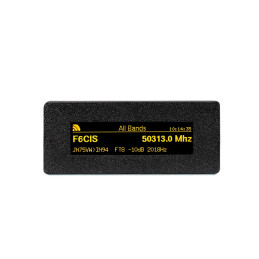
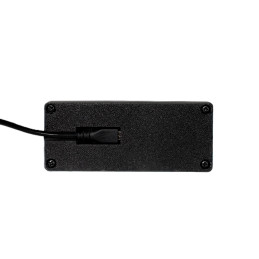
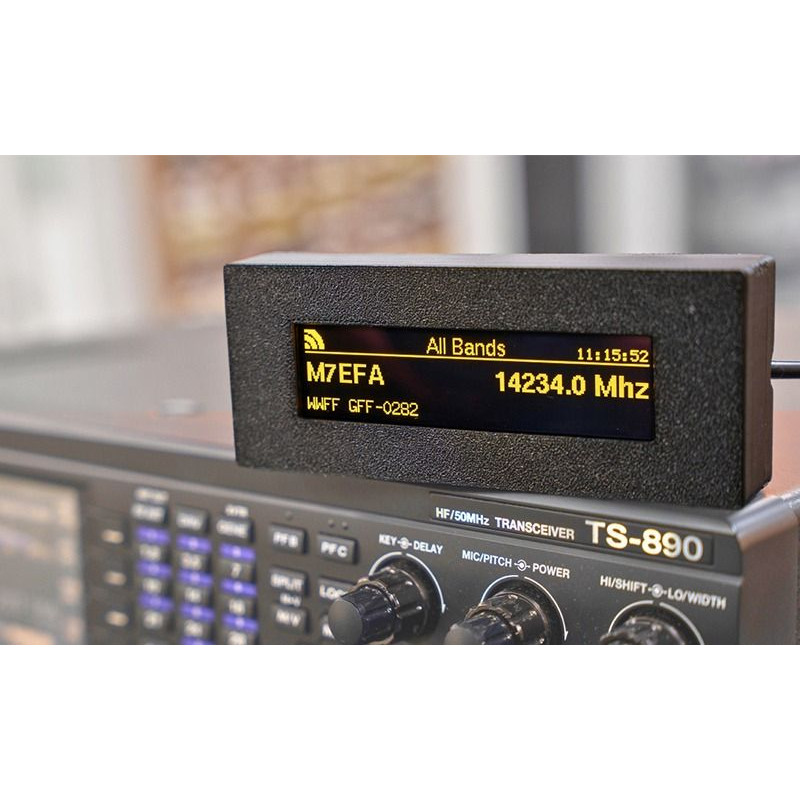
The TopBytes DXSpotter is a compact, WiFi enabled DX cluster display that brings real time spot information straight into your shack – without needing a PC, laptop or tablet running all day. Just add USB power and WiFi, and you have a dedicated DX “radar screen” for your favourite bands.
What is DXSpotter?
DXSpotter connects to your chosen DX cluster over the internet and shows live spots on its bright 256×64 yellow OLED display. Frequency, callsign and comment are clearly presented with smooth scrolling, a band title, WiFi signal icon and real time clock, so you can see band activity at a glance from across the room.
Key features
Dedicated DX cluster display for amateur radio stations
Built in WiFi - connects to your home or portable network
Works with standard Telnet based DX clusters (DXSpider, CC Cluster, etc.)
Pre configured to use the UK hamserve DX cluster by default
High contrast 256×64 yellow OLED screen with smooth scrolling
Shows callsign, frequency in MHz and spot comments
Status line with WiFi signal strength, custom display title and clock
Web based configuration portal - no special software required
Band and frequency filtering so you only see the spots you care about
Adjustable scroll interval and spot history (1–15 recent spots)
Stores settings in non volatile memory so it remembers everything after power off
OTA (Over The Air) firmware updates via secure HTTPS
USB powered - ideal for the shack, field days and portable operation
Typical uses:
Shack monitor - keep DXSpotter on the desk to watch band openings without tying up a PC screen.
Contest support - track activity on your chosen band and spot new multipliers quickly.
Portable and field days - run it from a USB power bank and campsite WiFi or a portable router.
Learning tool - great for newer licensees to see when different HF bands are open and which modes are active.
Simple setup:
Power the DXSpotter from any 5 V USB supply or power bank.
Connect to its built in WiFi access point and open the configuration page.
Select your WiFi, enter the password, your callsign and preferred DX cluster.
Optionally set band filters, scroll timing and display title.
Save and reboot - spots will begin to appear within seconds once band activity is present.
Technical highlights
WiFi: 2.4 GHz 802.11 b/g/n, WPA/WPA2 security
Display: 256×64 pixel yellow OLED, wide viewing angle
Power: 5 V DC via micro USB, typically 1–2 W
Protocol: Telnet DX cluster over TCP, HTTP web interface, NTP time sync
Configuration: Built in captive portal and web server
If you want a neat, low power way to keep an eye on DX and band conditions without leaving a computer on, the TopBytes DXSpotter is a superb addition to any modern shack.